
MCP Server in Revita new direction for AI in BIM, or is it too early?
Our team recently spent some time discussing MCP (Model Context Protocol) servers in Revit. The topic is picking up momentum fast - especially on LinkedIn, where more and more people are talking about it.
The problem is that most are still at the "I know it exists" stage, not the "I'm actually testing it" stage. So we decided to dig into it properly and share a few takeaways.
What exactly is MCP?
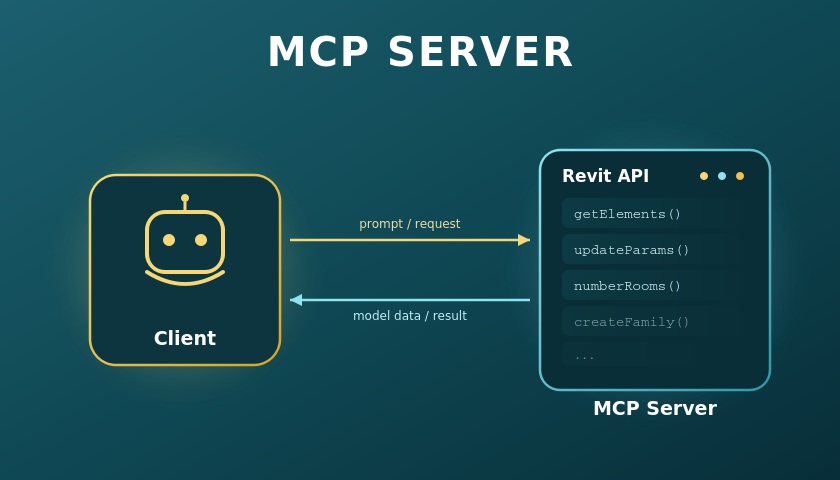
MCP is a bridge between AI and Revit's full API. In practice, this means the AI doesn't need to "learn" Revit's logic step by step or make the same mistakes along the way to get to a result - the MCP server explains everything on the fly, similar to how documentation explains a system's structure to a developer.
It's worth comparing this to tools we already use in day-to-day work, like the popular plugin Nonic. Nonic is a closed, licensed product with a fixed catalog of functions - room numbering, door numbering, and so on. Those functions are tested, stable, and continuously developed by a team of engineers.
MCP works differently. Instead of a limited set of commands, the AI gets access to the entire framework Revit is built on. In other words - Nonic gives you a ready-made list of functions, while MCP gives you access to almost everything Revit can do, with no guarantee the result will match what you actually expected.
Where it already works well
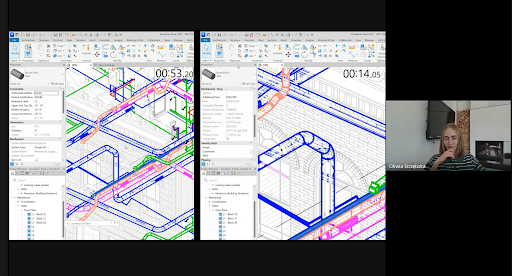
There are tasks where MCP performs genuinely well - mainly ones involving finding and pointing to elements. In one example we looked at, the AI was asked to locate and zoom in on the pipe with the highest flow capacity in the model. It took a matter of seconds, compared to a much longer manual search.
This illustrates exactly what MCP is best suited for today: tasks that can be described with a single, precise instruction based on comparing parameters.
Where things get harder
It gets more difficult when actual design logic is involved. Numbering rooms according to a non-obvious rule - say, clockwise, while accounting for smaller, irregular spaces - is something AI won't solve correctly on its own. You need to define the rule very precisely, and even then there's no guarantee it will produce the same result twice. Answers can change between sessions, much like with any AI chat.
That led to a conclusion that feels important right now: for stable, repeatable operations, deterministic tools - Dynamo, Python scripts, pyRevit - still work better. MCP, for all its flexibility, isn't predictable enough yet to build critical workflows on top of it.
Stability and security concerns
- This is still very much a testing-phase technology. Integration with Revit starting from version 2027 is being built in, but currently as a test protocol.
- Autodesk doesn't guarantee the stability of the whole ecosystem - what works today might not work the same way tomorrow.
- MCP servers are public, which raises questions about where the processed data actually ends up. For companies working under confidentiality agreements, that's not something you can just ignore.
So where's the line between AI and modeling work?
One of the more interesting threads in our discussion was about where the real boundary of AI's usefulness in BIM actually sits. There are tasks that are genuinely faster to describe in words than to do manually - like changing the dimensions of every shower in a model. But there are also tasks where language simply loses to a mouse and keyboard - editing groups, precisely moving elements relative to others, adjusting a bathroom layout after a single dimension changes. Core modeling work in BIM is, for now, still very much a human domain.
There was also an interesting point about skills. Some of the advantages that people with BIM modeling experience have today may erode over time, as certain skills get automated. But that's a matter of years, not months, and it mostly applies to simpler, more predictable tasks.
Generative design - a look ahead
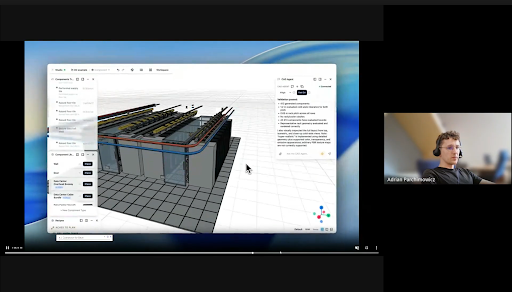
At one point we looked at an example from a company (Archilabs) that generates entire data center concepts from a prompt, fully integrated into Revit through a dedicated connector. It's impressive - you describe the requirements, and the system generates a complete, generic model of the facility.
Demos like that sell themselves, but reality tends to be more sobering. Real projects - data centers included - involve a huge number of interconnected parameters: power capacity, generator dimensions, building lines, fitting everything to the IT hall. For AI to genuinely solve that, it would need to be fed a massive amount of project data, which often simply can't be shared due to confidentiality.
Bottom line
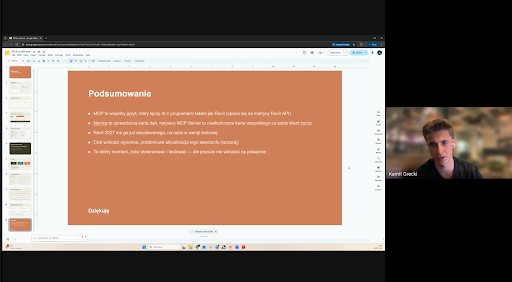
Our conclusion after this discussion is fairly consistent: MCP in Revit is a direction absolutely worth watching, worth exploring and testing on your own. But it's not yet the moment to build core production workflows on top of it. For now, it makes more sense to invest in solutions that are already stable - Dynamo, Python scripts, proven plugins - and treat MCP as something to keep an eye on from the sidelines, until Autodesk officially moves it past the testing phase.
Because as is often the case with new technology - what looks spectacular in a demo can turn out to be a very different story in a real production workflow.
Wondering what AI can realistically do in your BIM workflow?
Tell us about your project and we'll show you which parts are worth automating today - and which are better left to proven, deterministic tools.
Talk to us