
Knowing Revit Isn't the Same as Managing BIM
What Tools Does a Modern Digital Construction Manager Actually Need?
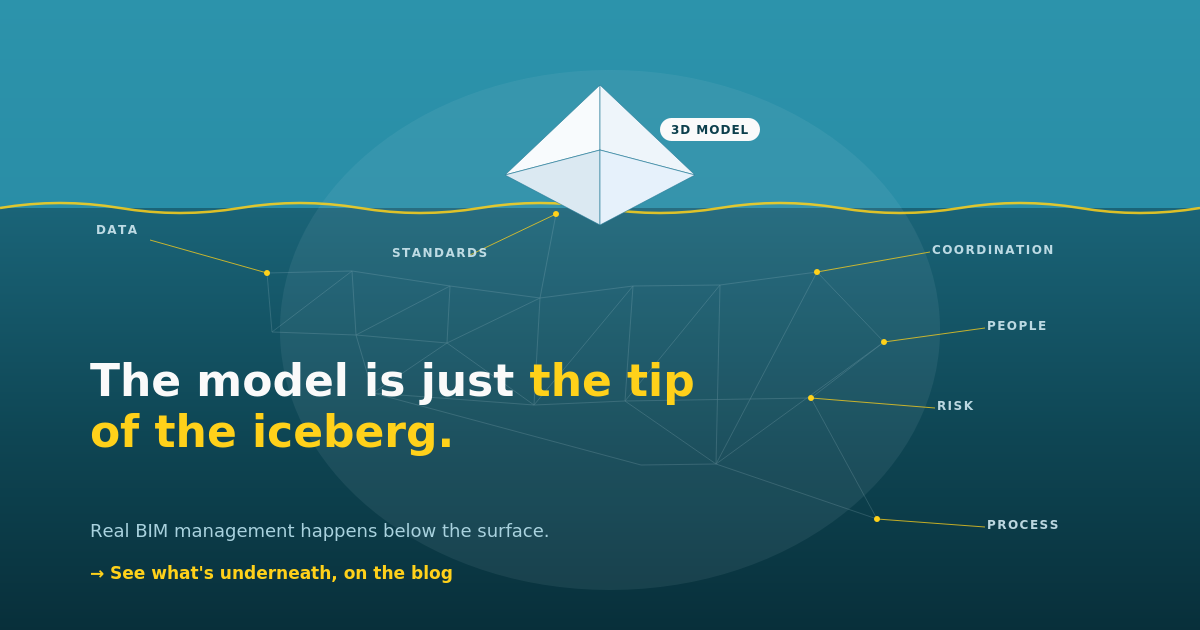
Many designers and engineers still think digital building modeling comes down to opening one program and producing a nice spatial visualization. But if you're responsible for managing building information on a project, you know the model is just the tip of the iceberg.
The real work in this field is managing data, people, risk, and procedures. A modeling application on its own isn't enough - it's simply a digital workshop. To tie the whole process together into a coherent whole, you need solutions that control the flow of information, enforce the agreed rules of the game, and - sometimes - do part of the work for you.
Today we're looking at three tools from the modern data manager's toolkit - Speckle, Plannerly, and Conpass - and how they complement day-to-day work on real projects.
1. Speckle - the end of painful heavy-file exchange
Anyone who has tried to move a complex shape or set of parameters between different design environments knows the pain. Traditional exports to closed file formats often end in lost data, broken geometry, and needless frustration. That's where Speckle comes in - an open-source platform that changes the rules of data exchange.
- What is it? Speckle doesn't send entire, heavy files. It streams data at the level of individual objects in real time, as "streams" that any connected application can subscribe to.
- Who is it for? Information managers, engineers, technology leads, and developers building custom construction tools.
- What does it solve? It lets you instantly connect data across different design programs (Revit, Rhino, Archicad, Blender) and analytics systems (Power BI, Python) without constantly exporting and importing files by hand.
- Alternatives: Autodesk Data Exchange, Hypar, BIMData.
Bottom line: Speckle is a strong solution for data exchange - it lets information flow freely between environments instead of being locked inside a single system.
2. Plannerly - your execution plan finally stops being a document nobody opens
A BIM Execution Plan (BEP) and the client's information requirements are the foundation of any project run to ISO 19650. The problem is that in most firms, these documents end up as 100-page PDFs nobody looks at again once the contract is signed. Plannerly turns static documentation into a live, interactive project management portal, built around three pillars: documentation, scope, and verification.
- What is it? A platform for creating project documentation (BEP, EIR, OIR, AIR and others, aligned with ISO 19650), visually defining scope (LOD/LOIN), and automatically checking models against requirements - before they enter the wider workflow.
- Who is it for? BIM process managers, clients, and general contractors who want to make sure everyone on the project works to the same rules.
- What does it solve? You digitally define the scope of work - who delivers what, when, and at which level of detail - and then automatically verify whether submitted models (over 80 file formats supported, including Revit and IFC) meet those criteria before they ever reach the team.
- Alternatives: BIMQ, Mortar, BriefBuilder, Cobuilder.
Bottom line: Plannerly turns complex normative procedures into a clear process where no project participant can say: "I didn't know what I was supposed to prepare."
3. Conpass - our own platform for model auditing and coordination
Sometimes the market simply doesn't have a tool that matches your process exactly - and then the best solution is to build one yourself. That's how Conpass came to life: our in-house platform for managing BIM projects, bringing into one place what is usually scattered across several different programs.
- What is it? A web platform where the project team manages the entire model lifecycle in one place: models and their versions, issues, clash detection, automated model audits - run from a 3D viewer and checking validation rules on IFC files - plus tasks, collaborators, and reviews. It also includes an AI Pipeline module for automating parts of the process.
- Who is it for? Our BIM teams at Slefty, who need one consistent workspace instead of switching between an IFC viewer, a separate issue spreadsheet, and a standalone clash-detection program.
- What does it solve? It ties model quality auditing, cross-discipline coordination, and task management together in a single environment - the model, validation results, clashes, and team comments always live in one place instead of being spread across several systems.
- Alternatives: no single off-the-shelf tool combines all of this exactly the same way - which is rather the point. Similar pieces exist individually: Solibri or Navisworks (audit and clash detection), BIMcollab or Revizto (issue tracking and collaboration), and Plannerly (task and process management) - but bringing it all together into one platform tailored to your own procedures means building it yourself, the way we did.
Bottom line: Conpass shows that sometimes the best tool in a BIM manager's kit isn't another market license, but a bespoke platform tailored to the way your firm actually works.
The full landscape: what does a complete working environment look like?
Even if you perfectly master programs for early sketching and detailed modeling, you still cover only a fraction of the needs of a modern build. A complete information manager's toolkit consists of five key pillars:
- 1Authoring (creative) tools: Revit, Forma, Archicad, Rhino - where geometry and initial data are created.
- 2Common data environment: Autodesk Construction Cloud, Trimble Connect, Catenda - where documentation is stored and shared to agreed procedures.
- 3Coordination and quality control: Solibri, Revizto, Navisworks, BIMcollab - where clashes are detected and issues are managed.
- 4Process and standards management: Plannerly, BIMQ - where you define the rules of the game, scope, and information requirements.
- 5Data flow and automation: Speckle, Dynamo, Power BI, Python, plus custom in-house tools like our Conpass - where you connect systems, audit models, and detect clashes.
| Category | Main task | Example tools |
|---|---|---|
| Model creation | Designing geometry and entering data | Revit, Forma, Archicad, Rhino |
| Common environment | Storing and circulating documents | Autodesk Construction Cloud, Trimble Connect, Catenda |
| Control and coordination | Clash detection and quality verification | Solibri, Revizto, Navisworks, BIMcollab |
| Planning and standards | Defining requirements and delivery scope | Plannerly, BIMQ |
| Flow and analytics | Connecting systems, model auditing, and automation | Speckle, Power BI, Dynamo, Python, Conpass (our in-house platform) |
Summary
In digital construction, modeling tools are like brushes in a painter's hand - essential, but they won't create the work on their own.
While authoring programs let you build the model itself, Speckle gives the data fluidity, Plannerly enforces discipline and scope, and our Conpass ties model auditing, clash detection, and team task management together in one place. A good manager doesn't focus on a single app - they build a coherent environment where information, processes, and people all work toward the success of the whole investment. And sometimes, as in our case, that environment simply has to be built yourself.
Want a coherent BIM environment for your team?
Tell us how your projects run today and we'll show you where Speckle, Plannerly, or a bespoke platform like Conpass can save your team hours every week.
Talk to us